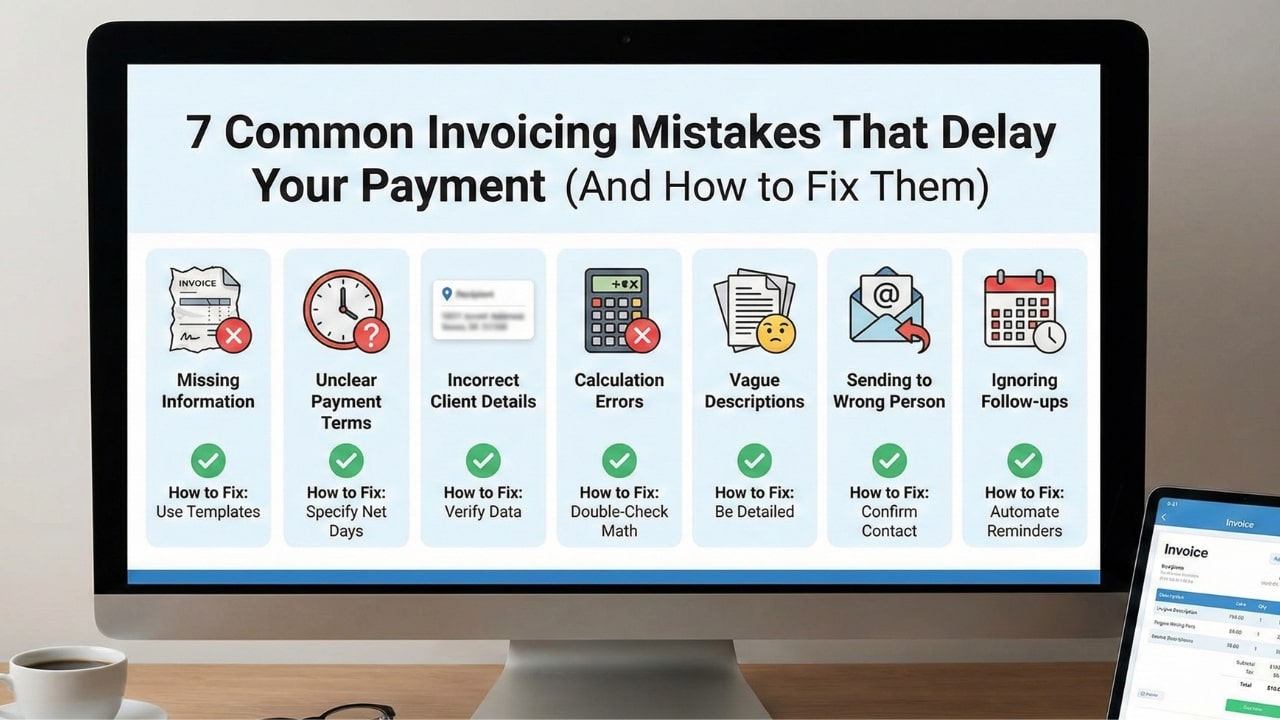
You’re good at your job. You delivered the project on time. The client loved it. So why has it been 45 days, and the money still isn't in your account?
Before you start drafting an angry email or panicking about your rent, take a hard, honest look at the invoice you sent.
The harsh reality that nobody tells you in freelance school is that 50% of late payments aren't caused by "bad clients." They are caused by bad invoices. If your invoice is confusing, missing info, sent to the wrong person, or just plain ugly, it doesn’t get paid. It gets flagged, set aside, and forgotten.
It's frustrating, but it's fixable. In this guide, we’re going to walk through the 7 most common invoicing mistakes freelancers make—and exactly how to fix them so you get paid faster, every single time.
1. Sending It to the "Gatekeeper" Instead of the Payer
You spent weeks working closely with the Marketing Manager. You have a great relationship. Naturally, when the project is done, you email the invoice to her.
This is a classic mistake.
Here is what happens: The Marketing Manager is busy. She sees your email, thinks "I'll forward this to accounting later," and then gets distracted by 50 other urgent tasks. Your invoice sits in her inbox for a week. Then, when she finally forwards it, she sends it to the wrong person in Finance.
You are now relying on a game of "telephone" to get paid.
💡 The Fix:
Ask this magic question before you send the bill: "What is the direct email address for Accounts Payable so I can make sure this gets processed quickly?" Then, send the invoice directly to them, and CC your contact so everyone is in the loop.
2. The "Vague Description" Trap
I once saw a freelancer send an invoice to a large corporation that simply said: "Services: $5,000."
Guess what happened? The accountant rejected it immediately. Why? Because they audit their books. If an auditor asks "What did we pay $5,000 for?", "Services" is not an acceptable answer.
If the accountant doesn't know what the bill is for, they have to email the project manager to ask. If the project manager is on vacation, your payment is delayed by two weeks. Don't make them do the detective work.
Don't write: "Website Design"
Do write: "Website Design Project: 5 Page Layouts, Mobile Optimization, and SEO
Setup (Service Period: Nov 1 - Nov 15)"
3. Missing the "Due Date" (Parkinson's Law)
Parkinson's Law states that "work expands to fill the time available for its completion." The same rule applies to payments.
If you don't put a specific due date on your invoice, or if you just write "Due upon receipt" (which implies urgency but lacks a deadline), the client feels no pressure. To them, "paying you" becomes a task they can do "sometime next week" or "sometime next month."
Without a date, your invoice is just a suggestion, not a requirement.
4. Using Word or Excel (The Formatting Nightmare)
Look, we love Excel. It's great for data. But it is terrible for invoicing.
Sending an editable Word doc or Excel sheet is the mark of an amateur. Here is why it hurts your wallet:
- It breaks on mobile: If the client opens your Excel file on their phone, the columns will shift, and it will look like a mess.
- It creates work: They have to download it, open it in a specific app, and maybe convert it to PDF themselves to save it.
- It's insecure: The client (or a malicious actor) can accidentally or intentionally edit the total amount before processing it.
The Fix: Always use a dedicated tool like NextZoto to generate a locked PDF. It looks professional on every device, ensures your formatting stays perfect, and prevents tampering.
5. Hiding Your Payment Details
Do not make the client hunt for how to pay you. I've seen invoices where the bank details were in tiny 8pt font at the very bottom footer, barely visible.
If a client has to open a new email thread to ask you "Do you take PayPal?" or "What's your routing number?", you have added another friction point. Every extra step delays your money by at least 24 hours.
The Fix: Put your payment links (Stripe/PayPal) or bank details in a prominent box near the "Total Due." Make it impossible to miss. If you want to be paid by check, put the "Make Checks Payable To" address in bold.
6. Forgetting to be Polite
It sounds silly, right? Business is business. Why do we need to say "please"?
But data backs this up. A study by FreshBooks found that including a simple "Please pay by..." or "Thank you for your business!" increases the percentage of invoices paid on time by over 5%.
Invoices are transactional, but business is relational. A cold, robotic invoice feels like a demand letter. A polite invoice feels like a request from a partner. A little kindness goes a long way when a human being is deciding which bill to pay first on a Friday afternoon.
7. Invoicing Sporadically
If you wait until the end of the month to do *all* your invoicing in one big batch, you are crushing your own cash flow.
Let's say you finish a project on the 2nd of the month. If you wait until the 30th to send the invoice, you have just given the client a free 28-day loan. And if they have Net 30 terms, you won't get paid until the *next* month. You are waiting 60 days for money you earned on Day 1.
💡 The Golden Rule:
"Invoice immediately upon delivery." Make it part of your project completion checklist. File sent? Invoice sent. Don't let the sun go down on unbilled work.
Summary: Your "Get Paid Faster" Checklist
Before you hit send on your next invoice, run it through this quick checklist to ensure you aren't making any of these costly errors:
- Send invoices to the Accounting Department, not just your contact.
- Be hyper-specific in your line items ("Website Design" vs "5 Page Layouts").
- Set a specific date (e.g., "Due Oct 24th").
- Use a PDF generator, never Word/Excel.
- Make payment details big, bold, and easy to find.
- Add a "Thank You" note to build goodwill.
- Send the invoice the minute the work is done.
Avoid These Mistakes Automatically
NextZoto's free generator is designed to prevent errors. It forces clear dates, locks formatting, and highlights payment details so you look like a pro.
Create a Perfect Invoice Now